1. Dashboard (Control Tower)
The Dashboard is the nerve center of the application, providing an instant overview of the event's current state and access to all essential modules.
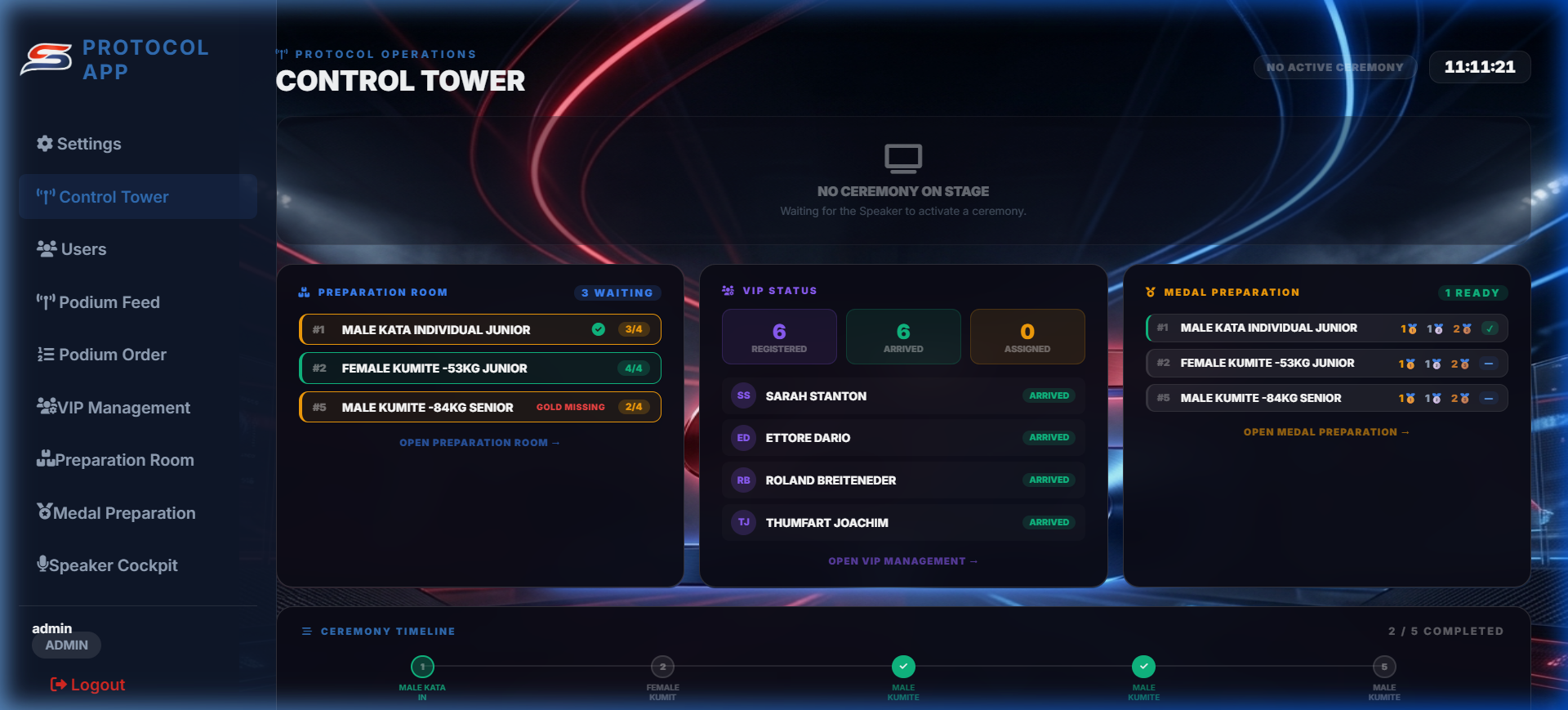
Live Monitoring Tracks the ceremony currently taking place on the podium.
Preparation Status Shows the next 5 ceremonies moving through the waiting area.
VIP Analytics Real-time monitoring of dignitary arrivals.
Task Completion Tracks physical medal preparation progress.
2. Podium Feed
Real-time data synchronization with external competition systems to import results directly.
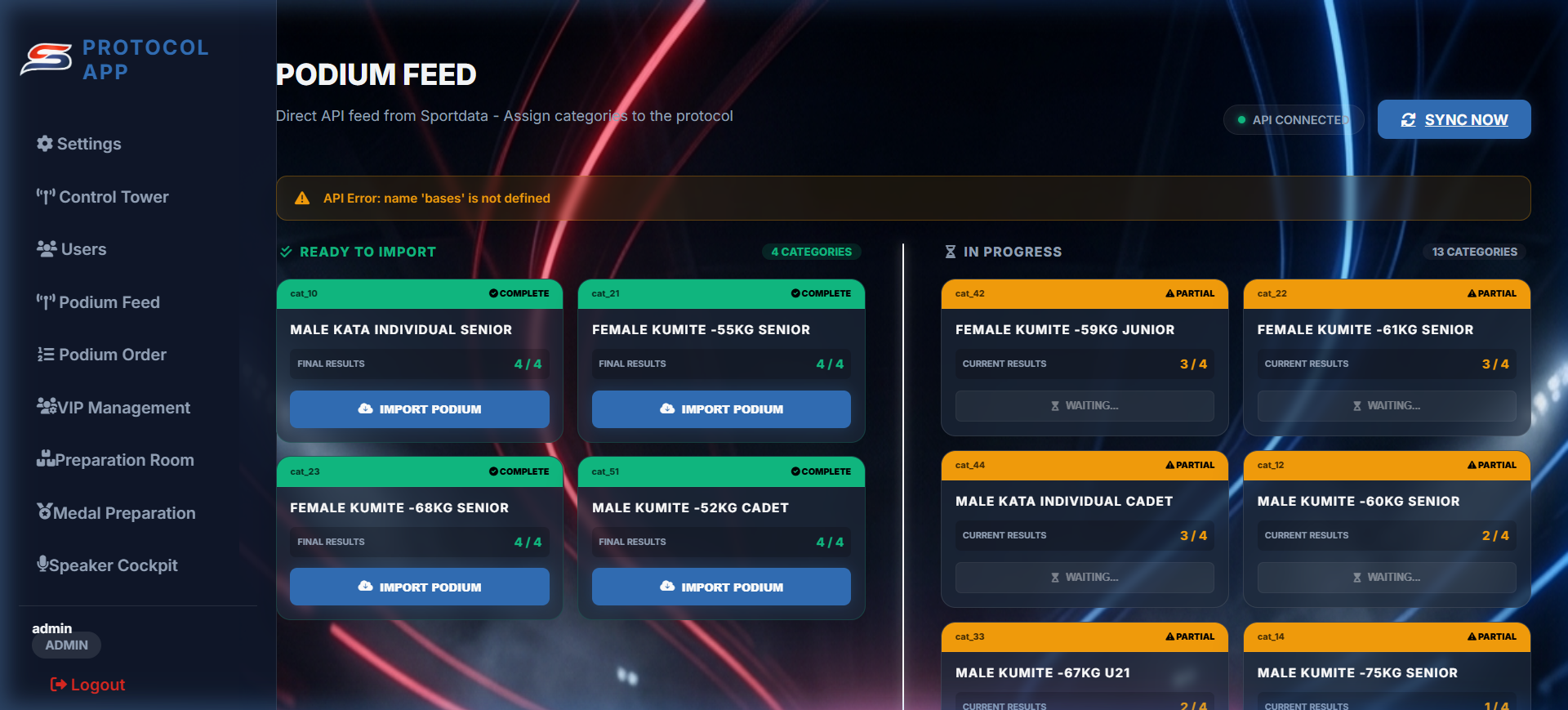
Ready Detection Automatically identifies categories with confirmed medalists.
Instant Import Create podium records from API data with one click.
Live Updates Synchronizes results as soon as they are published.
3. Podium Order
Define the chronological sequence of ceremonies. Flexibility and planning in one interface.
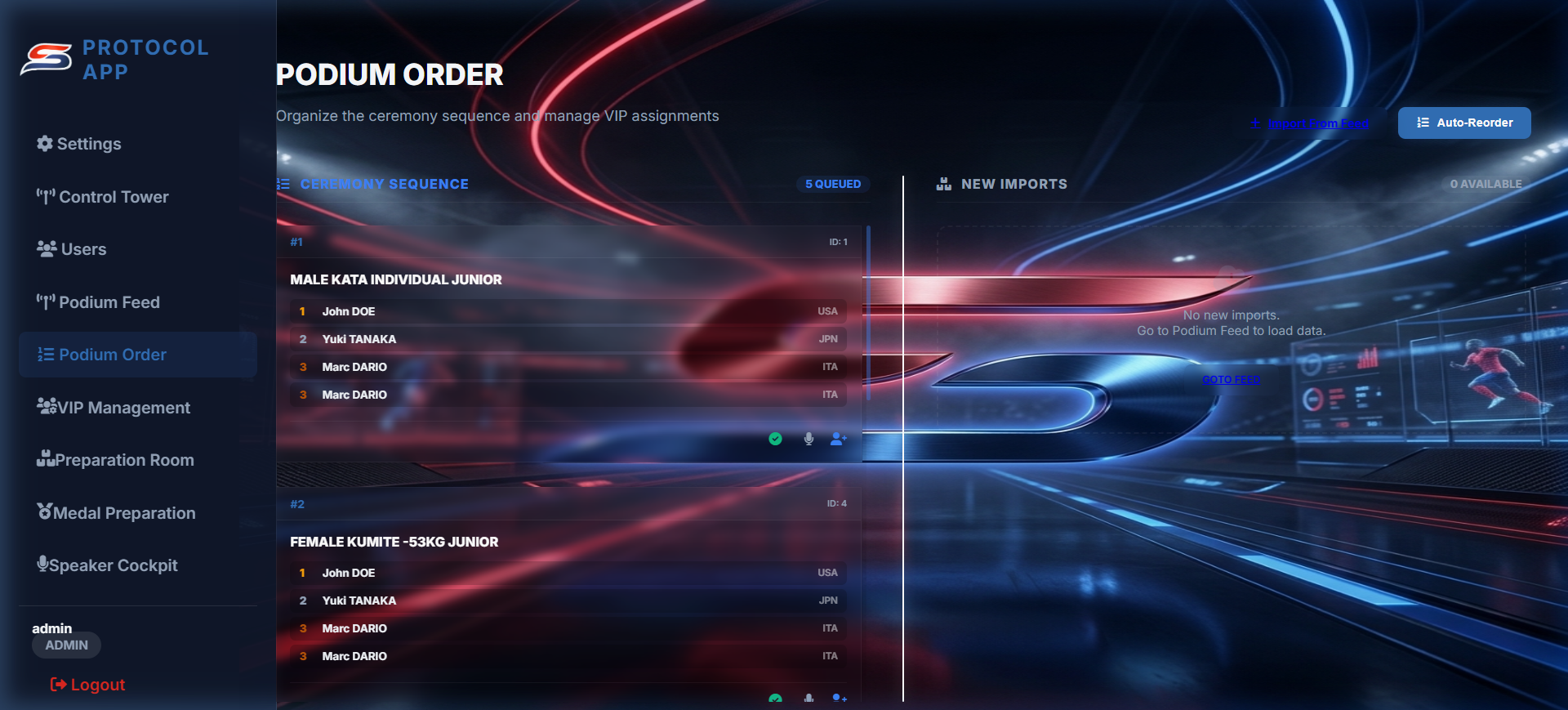
Drag & Drop Easily reorder ceremonies by clicking and dragging.
Pool Management Move imported categories into the planned sequence.
Status Badges Color-coded indicators for Pending, Ready, and Active states.
4. VIP Management
Intelligent assignment system to designate medal presenters with protocol precision.
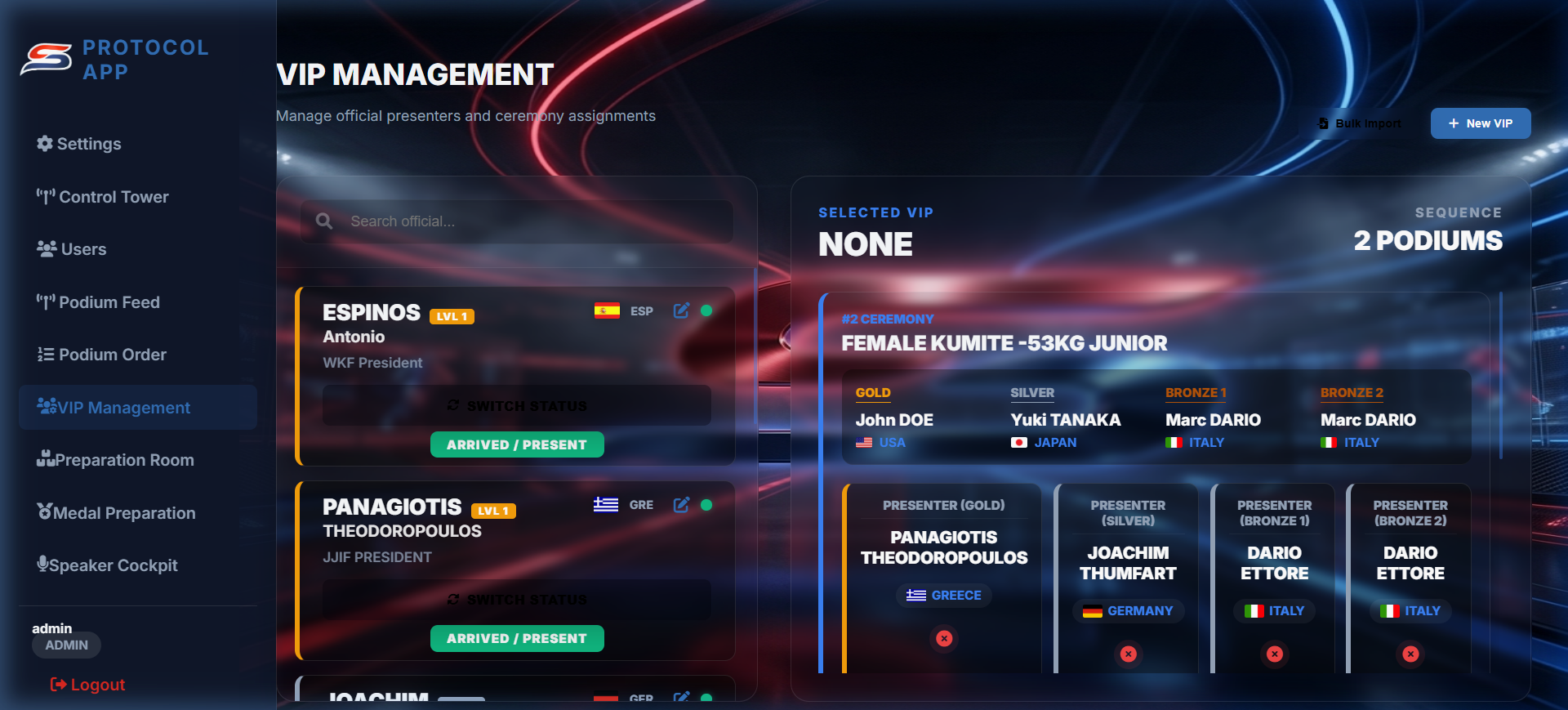
Smart Suggestions Algorithm recommends VIPs matching athlete nationalities.
Role Slots Assign presenters specifically for Gold, Silver, and Bronze.
Level Filtering Ensures high-ranking officials are matched to gold medals.
5. VIP Attendance
Dedicated interface for receptionists and hostesses to manage dignitary arrivals.
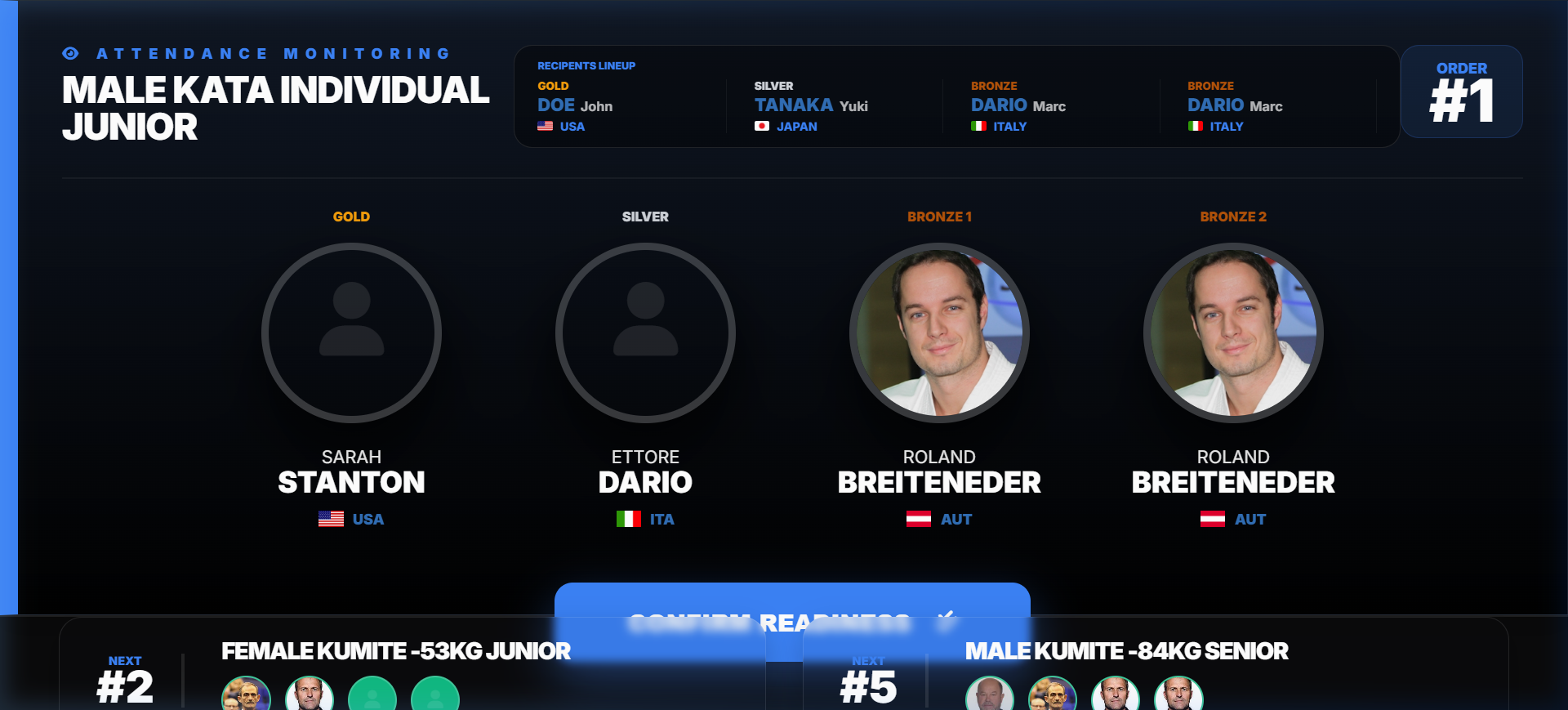
Arrival Toggle Mark VIPs as present to enable them for assignments.
Search & Filter Fast lookup by name or affiliate organization.
On-the-fly Adding Register new guests immediately at the desk.
6. Preparation Room
Backend hub for coordinators to manage athletes and ensure all elements are ready before stage entry.
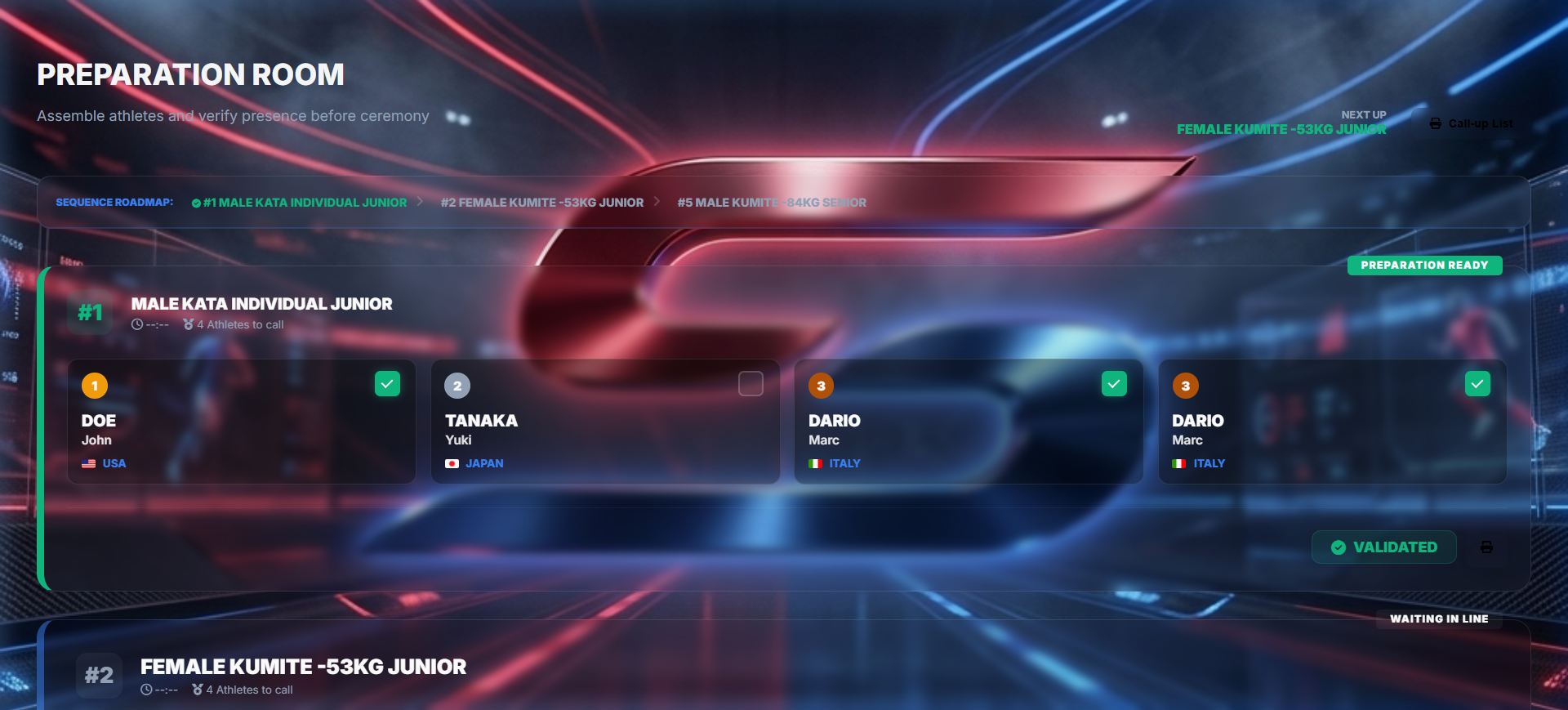
Athlete Presence Check-in for each medalist physically present.
Ceremony Validation Signals the "Ready" state to the main stage.
Visual Checklist View nationality and names for correct positioning.
7. Medal Preparation
Focus tool for logistics staff responsible for physically preparing trays and trophies.
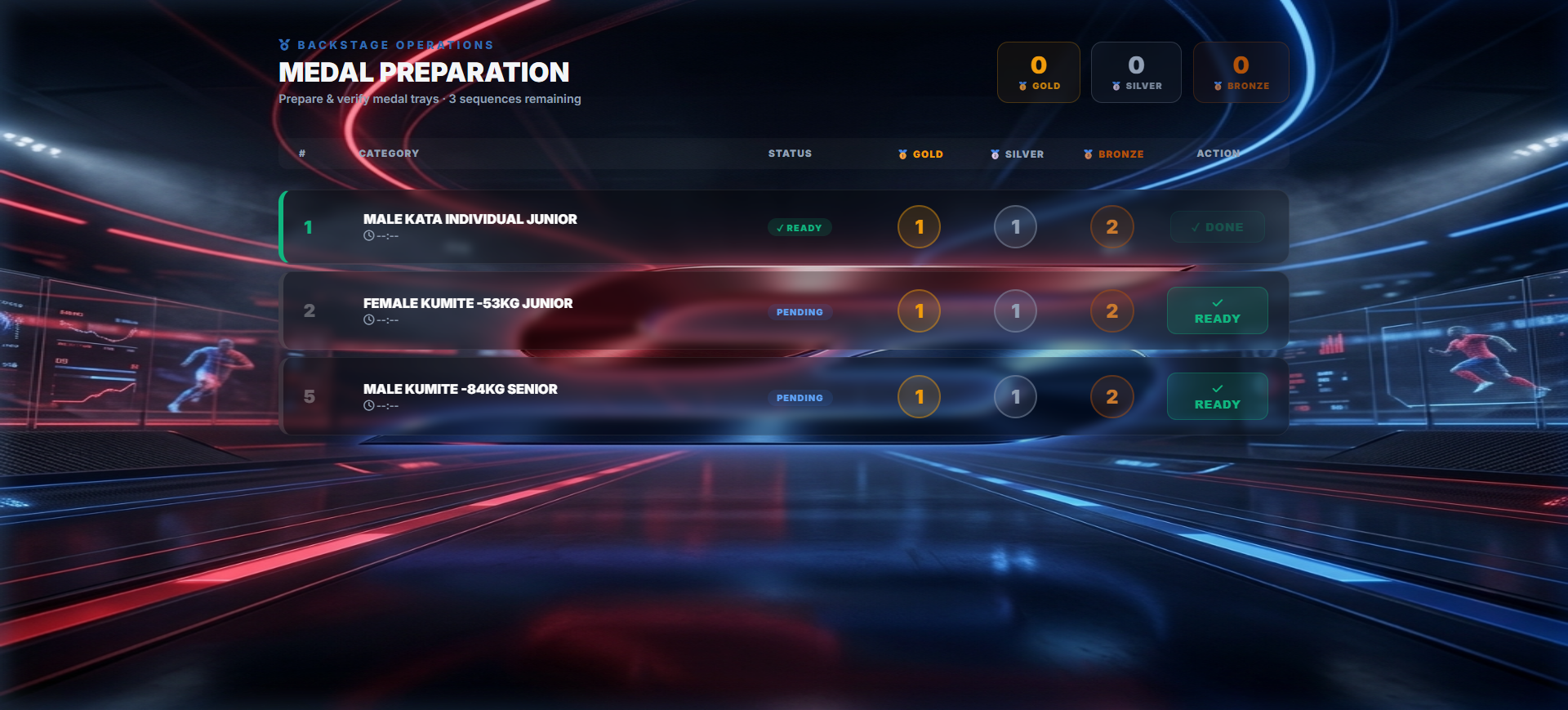
Accuracy Check Full names and nation flags for tray verification.
Upcoming List Prepare medal trays hours in advance.
8. Speaker Cockpit
The interactive script for the official announcer. Provides absolute control over the stage sequence.
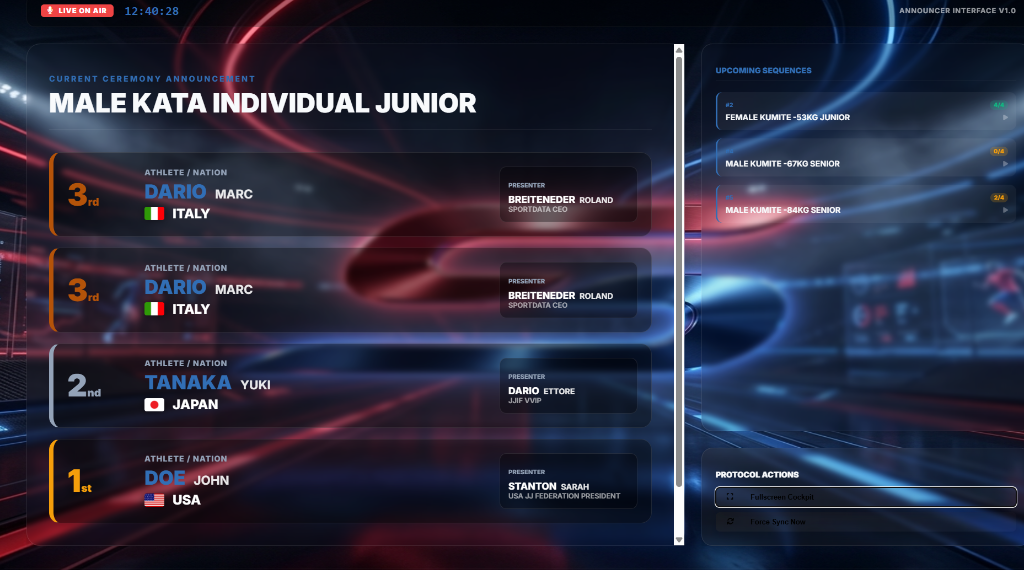
Live Script Dynamic text with athlete names and presenter roles.
Flow Control Single-click buttons to Start and Complete ceremonies.
Status Sync Automatically updates the dashboard and hall screens.
9. Settings & Administration
Global app configuration for administrators and security experts.
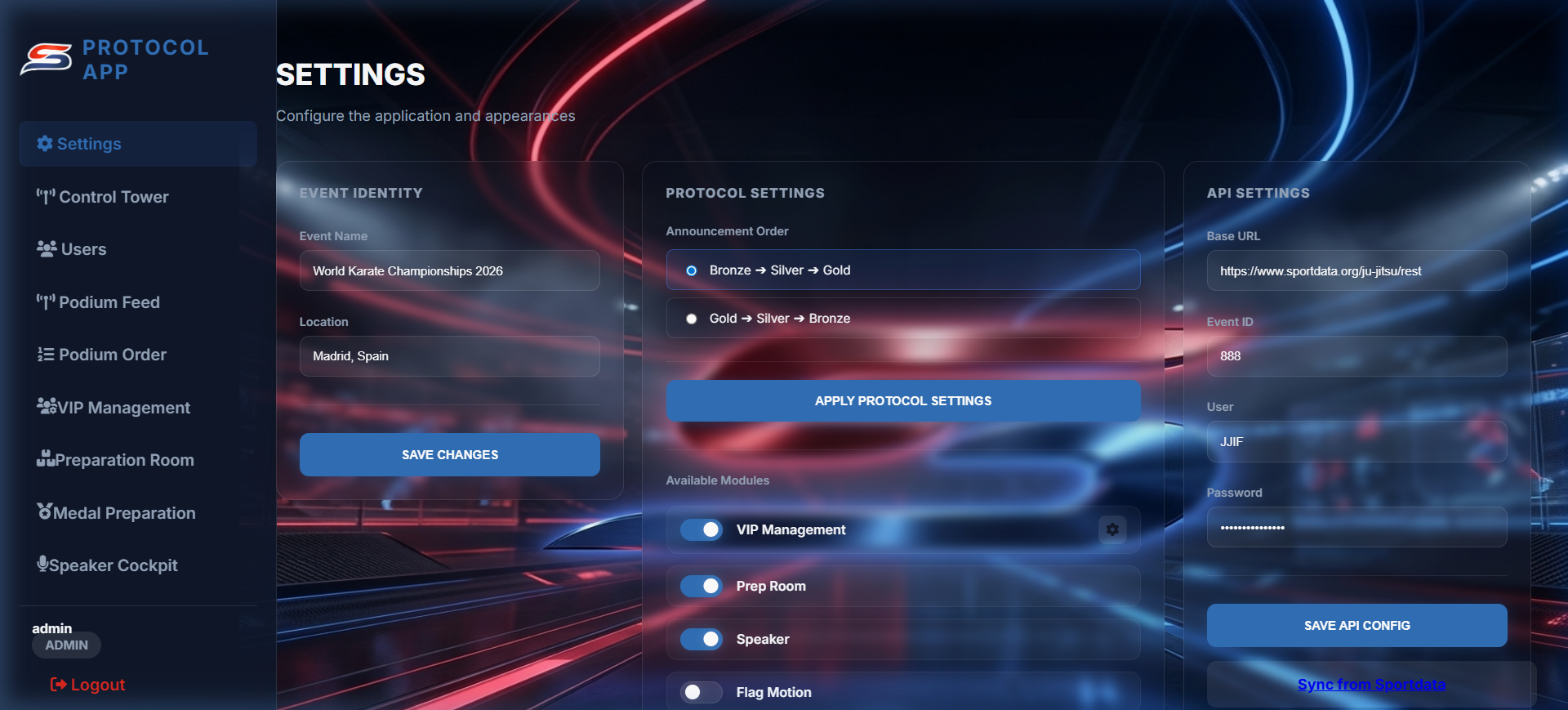
API Settings Configure connections to result servers.
Protocol Logic Set announcement order (Top-down vs Bottom-up).
User Accounts Create and manage roles and permissions.